Recommended Searches:
Partiful
AFK Journey
Max
Clash of Clans
Mila
UpStudy
MacroFactor
Timeleft
Baby Daybook
Infinite Painter
Peacock TV
Squad Busters
Eggy Party
Honkai
Kingdom Rush 5
Cookie Run



Latest Version
Update
November 16, 2026
November 16, 2026
Developer
uti uwi
uti uwi
Categories
Tools
Tools
Platforms
Android
Android
Downloads
0
0
License
Free
Free
Package Name
com.utiuwi.bussidmod
com.utiuwi.bussidmod
Report
Report a Problem
Report a Problem
More About SHAREin: Fast File Transferlication
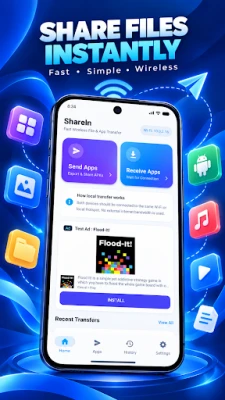
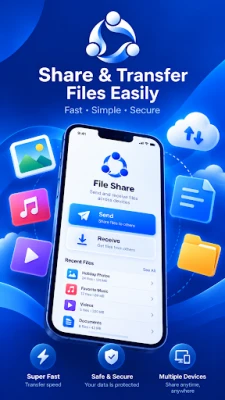
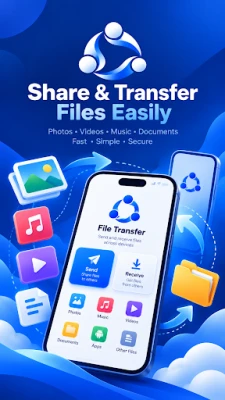
SHAREin: Fast File Transfer is your ultimate peer-to-peer file sharing and application transfer tool designed for lightning-fast speeds without requiring mobile data or an internet connection.
Whether you are transferring installed apps, games (including modern Split APKs / .apks), high-resolution photos, 4K videos, favorite music tracks, or large documents, SHAREin connects your devices directly using high-speed local Wi-Fi and Wi-Fi Direct technology.
⚡ KEY FEATURES:
🚀 Lightning Fast Speeds
Experience transfer rates up to 40 MB/s—over 200 times faster than standard Bluetooth. Send heavy files and large game packages in seconds without quality loss.
📱 Complete App & Split APK (.apks) Support
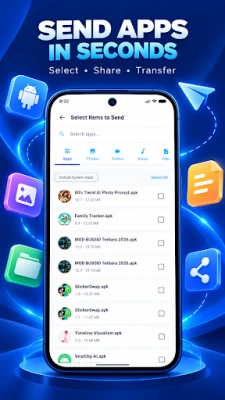
Share your favorite applications and games effortlessly. SHAREin automatically detects and bundles split APK packages into clean .apks bundles, allowing seamless installation on the recipient device.
🌐 100% Offline – Zero Mobile Data Usage
Transfer files anytime, anywhere. No cellular data, Wi-Fi router, or internet connection required. Direct device-to-device wireless connection.
📸 Share Everything
• Applications & Games (Single APK & Split APK bundles)
• Photos & Wallpapers (Original quality, zero compression)
• Movies & Videos (MP4, MKV, AVI, etc.)
• Music & Audio (MP3, FLAC, WAV, etc.)
• Documents & Archives (PDF, DOCX, ZIP, etc.)
🎯 Quick QR Code Pairing
Simply scan the QR code to establish an instant, secure local connection. No complicated Wi-Fi configuration or manual IP setup needed.
🛡️ Secure & Private
Your files are protected with cryptographic SHA-256 integrity checks. All file transfers occur strictly between peer devices—your data is never uploaded to any remote server or cloud.
🌙 Modern & Clean Interface
Enjoy a fluid Material 3 interface with full dark mode support, organized categories, and intuitive file management.
How to Use SHAREin:
1. Open SHAREin on both devices.
2. Tap "Send" on the sender device and choose files or apps.
3. Tap "Receive" on the other device.
4. Scan the QR code to connect and start your high-speed transfer instantly!
Download SHAREin: Fast File Transfer today and experience the simplest way to share files!
⚡ KEY FEATURES:
🚀 Lightning Fast Speeds
Experience transfer rates up to 40 MB/s—over 200 times faster than standard Bluetooth. Send heavy files and large game packages in seconds without quality loss.
📱 Complete App & Split APK (.apks) Support
Share your favorite applications and games effortlessly. SHAREin automatically detects and bundles split APK packages into clean .apks bundles, allowing seamless installation on the recipient device.
🌐 100% Offline – Zero Mobile Data Usage
Transfer files anytime, anywhere. No cellular data, Wi-Fi router, or internet connection required. Direct device-to-device wireless connection.
📸 Share Everything
• Applications & Games (Single APK & Split APK bundles)
• Photos & Wallpapers (Original quality, zero compression)
• Movies & Videos (MP4, MKV, AVI, etc.)
• Music & Audio (MP3, FLAC, WAV, etc.)
• Documents & Archives (PDF, DOCX, ZIP, etc.)
🎯 Quick QR Code Pairing
Simply scan the QR code to establish an instant, secure local connection. No complicated Wi-Fi configuration or manual IP setup needed.
🛡️ Secure & Private
Your files are protected with cryptographic SHA-256 integrity checks. All file transfers occur strictly between peer devices—your data is never uploaded to any remote server or cloud.
🌙 Modern & Clean Interface
Enjoy a fluid Material 3 interface with full dark mode support, organized categories, and intuitive file management.
How to Use SHAREin:
1. Open SHAREin on both devices.
2. Tap "Send" on the sender device and choose files or apps.
3. Tap "Receive" on the other device.
4. Scan the QR code to connect and start your high-speed transfer instantly!
Download SHAREin: Fast File Transfer today and experience the simplest way to share files!
Rate the App
Add Comment & Review
User Reviews
Based on
No reviews added yet.
Comments will not be approved to be posted if they are SPAM, abusive, off-topic, use profanity, contain a personal attack, or promote hate of any kind.















More »

Popular Apps

Telegram 5Telegram FZ-LLC

Water Connect FlowIEC Global Pty Ltd

Car Mechanic Job: SimulatorCar Simulator Crafting & Building FPS Arcade Games

MyBambuBetter Than Banking

School PlannerAndrea Dal Cin

My Singing MonstersBig Blue Bubble

Warlords of AternumInnoGames GmbH

Standoff 2Axlebolt

King of ThievesZeptoLab

Battlelands RoyaleFutureplay
More »
Editor's Choice

Hopeless Land: Fight for SurvivalHK HERO ENTERTAINMENT CO.,LIMITED

Last Shelter: SurvivalLong Tech Network Limited

Toy Defense Fantasy — Tower Defense GameMelsoft Games
Warlords of AternumInnoGames GmbH

Vikings: War of ClansPlarium LLC
King of ThievesZeptoLab

MachinariumAmanita Design

Egg WarsBlockman Go Studio

Murder in the AlpsNordcurrent
Battlelands RoyaleFutureplay